
Fixing the ‘Target container is not a DOM element’ Error in React
This article was translated from the Japanese original with AI. 日本語の原文を読む
If a React app shows a blank page and the console prints Target container is not a DOM element., the element you passed to createRoot was not found. The first cause listed in the official reference is an id mismatch between the HTML and the id used in document.getElementById('root'). Fix the mismatch, and the error goes away and the page renders.
I deliberately triggered this error in a test environment. I confirmed the text printed to the console, and that fixing the cause makes the error disappear. Besides the mistyped id, I also list three other ways to cause the same error, and a way to write the code so that a missing element produces a clearer error.
The test environment was Ubuntu 24.04 and Node.js 22.23.5. I used a project created from the react-ts template of npm create vite@latest (react and react-dom 19.3.1, Vite 8.3.8, TypeScript 7.0.2). I opened the page by operating Chromium 157 with Playwright 1.63.0. For the DevTools screenshots, I ran headed Chromium on a virtual display (Xvfb). I have not tested frameworks such as Next.js, or cases where server-rendered HTML is attached with hydrateRoot. I have also not tested browsers other than Chromium.
The message shown when the ids do not match
The template's src/main.tsx finds the element with id root and renders into it.
// src/main.tsx (unchanged from the template, except the CSS import was removed)
import { StrictMode } from 'react';
import { createRoot } from 'react-dom/client';
import App from './App.tsx';

createRoot(document.getElementById('root')!).render(
  <StrictMode>
    <App />
  </StrictMode>,
);
I left this main.tsx as it was and changed the render target in the HTML to <div id="app">.
<!-- Wrong: main.tsx looks for id="root", but the HTML uses id="app" -->
<body>
  <div id="app"></div>
  <script type="module" src="/src/main.tsx"></script>
</body>
When I opened the page with the dev server (vite, the same as npm run dev), nothing was displayed, and the DevTools console showed the following line.
Uncaught Error: Target container is not a DOM element.The message means that the target container is not a DOM element. getElementById('root') returns null because there is no element with id root. createRoot received null and threw an error before starting to render. The <body> still contained only the empty <div id="app"></div>.
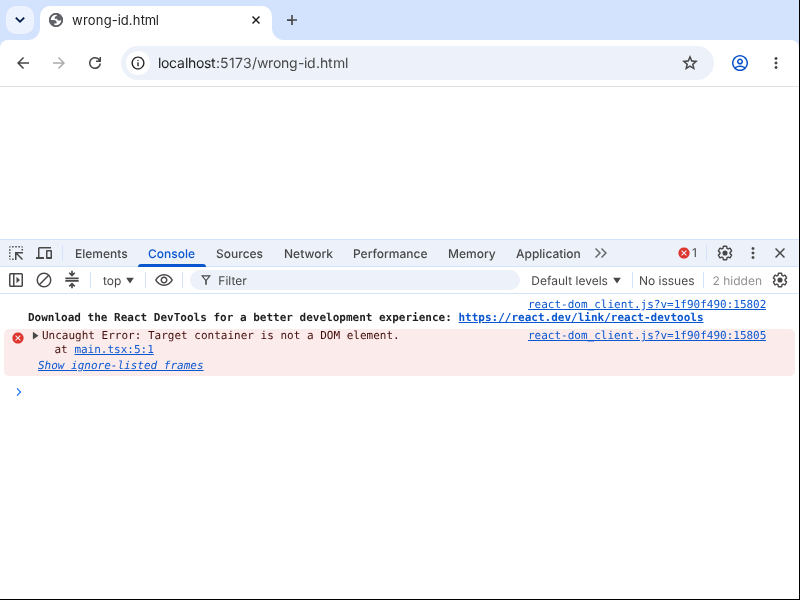
Below the error, the console shows the line number in the calling main.tsx (main.tsx:5:1). Check what is passed to createRoot on that line.
In the development build of react-dom 19.3.1, createRoot checks whether the value passed in is an element, a document, or a document fragment. If it is not, the code throws this error. This happens when createRoot is called, regardless of what the component passed to render contains.
Matching the id in the HTML removes the error
I changed the render target in the HTML back to <div id="root">. main.tsx stayed the same.
<!-- Fixed: use "root", the same id that main.tsx looks for -->
<body>
  <div id="root"></div>
  <script type="module" src="/src/main.tsx"></script>
</body>
When I opened the page, it displayed the sample text "I borrowed a cat's paw" (written in Japanese on the page), and the console showed no errors.
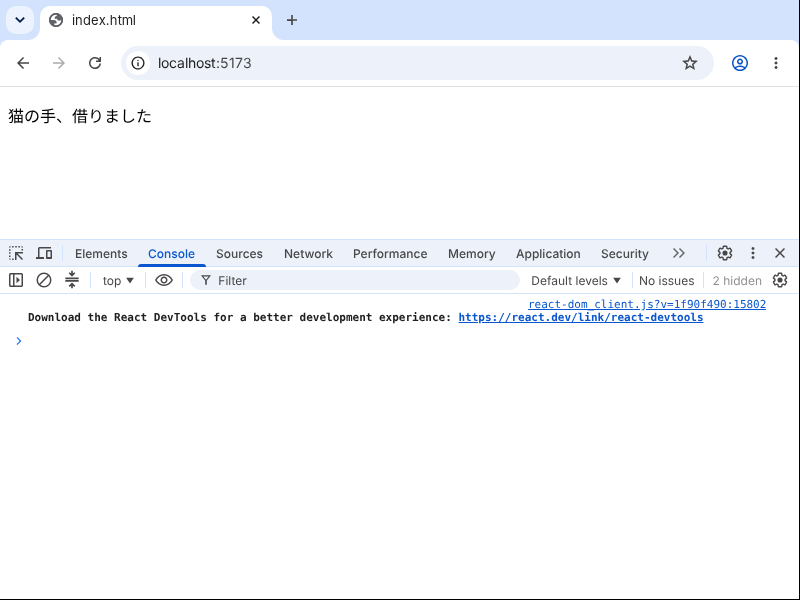
The one remaining line in the console is a message from React DevTools. It is unrelated to the error.
You can also fix the problem by changing the argument of getElementById in main.tsx to match the id in the HTML. Either way, compare the two strings character by character to confirm they are exactly the same.
Other code that causes the same error
The Troubleshooting section of the official createRoot reference says this error means that something other than a DOM node was passed to createRoot. It suggests logging the value passed in with console.log if you are unsure. Besides the id mismatch, I got the same Target container is not a DOM element. error with the following three patterns, while the HTML kept <div id="root">.
// Wrong: the "#" is missing from the querySelector argument (it looks for a tag named root)
createRoot(document.querySelector('root')!).render(/* omitted */);

// Wrong: "#" is included in the getElementById argument (it looks for an element whose id is "#root")
createRoot(document.getElementById('#root')!).render(/* omitted */);

// Wrong: passing a component instead of the container element
// @ts-expect-error the argument of createRoot must be a DOM element
createRoot(<App />);
I wrote each pattern in a separate file (such as main-selector.tsx). The render calls in the first and second patterns used the same content as the first example. The third pattern was a file containing only createRoot(<App />). Because it fails the type check, I added a comment to suppress the error and then checked how it behaved on the page.
querySelector searches with CSS selectors, so for an id you write '#root'. getElementById takes the id itself, so you write 'root'.
The createRoot(<App />) pattern is also listed in the official reference as a common mistake. Pass the container element to createRoot, and pass the component to render, which is the return value of createRoot.
The position of the script tag was not the cause in Vite's index.html
The official reference lists, as one possible cause, that a <script> tag that loads the bundle cannot see elements that come after it in the HTML. So I also tested a page where I moved <script type="module" src="/src/main.tsx"> into <head>, before <div id="root">.
This page displayed normally and showed no error. A script with type="module", like the one in the Vite template, is deferred even without any attribute, as described in MDN's description of the script element. It runs after the HTML has been parsed. If you use a type="module" script, you will find the problem faster by checking the spelling of the id before checking the script's position.
The TypeScript ! hides a missed null
The ! at the end of getElementById('root')! in the template tells TypeScript that the value is not null. For the explanation, see the TypeScript Handbook's section on the non-null assertion operator (!). I prepared a version without it. I created tsconfig.check.json, which changes only the include setting from the template's tsconfig.app.json, and ran the type check with npx tsc -p tsconfig.check.json --noEmit. It reported the following error.
tscheck/NoBang.tsx(5,12): error TS2345: Argument of type 'HTMLElement | null' is not assignable to parameter of type 'Container'.
  Type 'null' is not assignable to type 'Container'.
This means getElementById may return null, so you cannot pass its result directly to createRoot. With !, this type error disappears. However, if the value really is null at runtime, you get a runtime error, as in the examples above. The createRoot(<p>猫</p>) case I tested in the same file failed the type check whether or not ! was present.
Instead of !, you can throw your own error when the element is missing. This passes the type check, and the message tells you which id was searched for.
// src/main.tsx (throws an error that names the id it searched for when the container is not found)
import { StrictMode } from 'react';
import { createRoot } from 'react-dom/client';
import App from './App.tsx';

const container = document.getElementById('root');
if (!container) {
  throw new Error('描画先の要素 #root が index.html に見つかりません');
}

createRoot(container).render(
  <StrictMode>
    <App />
  </StrictMode>,
);
When I opened this with <div id="app"> in the HTML, the console showed the following. (The message text is in Japanese, as written in the code.) With <div id="root">, the page displayed without errors.
Uncaught Error: 描画先の要素 #root が index.html に見つかりませんBecause the if stops execution when container is null, TypeScript knows that container is not null in the createRoot(container) call that follows. So the type check passes without !. npx tsc -p tsconfig.app.json --noEmit finished with no output.
In a production build, it appears as error #299
I built for production and opened the page with npx vite preview. With the mismatched id, the message changed to the following.
Minified React error #299; visit https://react.dev/errors/299 for the full message or use the non-minified dev environment for full errors and additional helpful warnings.The production build of react-dom includes only the error number, not the full message. The react.dev page for error 299 says Target container is not a DOM element. If a production build shows a blank page with an error containing #299, check the render target element in the same way as described above.